A customer submits the Meta form
Once your Page and lead access are connected, a customer can submit their contact details and answers through a Facebook or Instagram Instant Form.
 Lead ads, managed with OneBox
META LEAD ADS + YOUR SALES WORKFLOW
Capture Facebook and Instagram lead ads in OneBox Social. Organize Instant Form leads, automate WhatsApp follow-up, label enquiries, and track every next step in one shared workspace.
Lead capture · WhatsApp messages · Automatic labelling
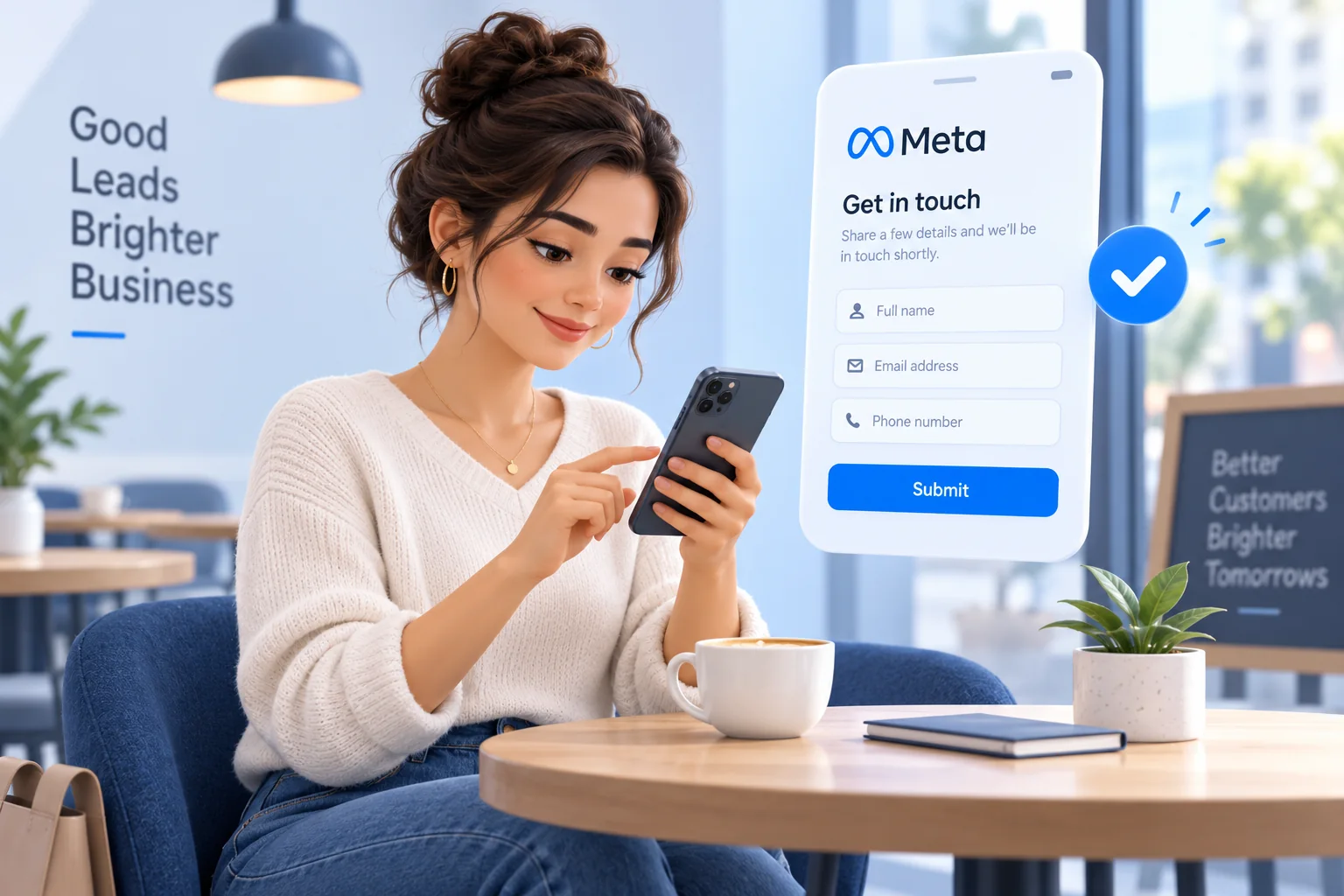
Illustrative workflow · Your configured automations determine the next action.
THE SHORT ANSWER
A Meta ads lead manager brings leads from Facebook and Instagram Instant Forms into a sales workflow. OneBox Social helps your team capture those enquiries, retain form and campaign context, assign an owner, and track follow-up through a shared lead management workspace.
A CONNECTED WORKFLOW
Once your Page and lead access are connected, a customer can submit their contact details and answers through a Facebook or Instagram Instant Form.
Available form submissions enter your leads workspace, with contact details, form answers, and source information provided by Meta.
Assign an owner, apply labels, and send an approved WhatsApp template when a valid phone number is available. Track notes, meetings, and next actions in your pipeline.
BUILT FOR THE WORK AFTER THE AD
FROM FORM ANSWERS TO ACTION
Turn submitted details into a clear next step with the task automations you configure.
Hi Anjali, thanks for your enquiry. How can we help you find the right workspace?
Illustrative approved-template messageSent when a valid phone number is found and a connected account and approved template are configured.
Bring Meta Instant Form submissions into your workspace through the connected Meta Lead Ads integration. Keep new enquiries in your lead workflow instead of repeatedly downloading spreadsheets.
Track new, contacted, qualified, won, and lost leads using your own pipeline stages. Switch between table and board views to see what needs attention.
Assign leads to teammates and configure assignment actions for new Meta form submissions. Give your sales team a clear place to manage its next conversation.
Send an approved WhatsApp message template when a new Meta form submission includes a valid phone number. Configure your connected WhatsApp account and personalize template values with the lead’s details.
Apply labels to new Meta ad leads using task automations. Match keywords in form answers or detect contact details to organize enquiries by interest and help your team prioritize follow-up.
Record notes and interaction outcomes, schedule follow-ups, and arrange meetings. Your team can see who owns the next action and when it is due.
See Page, form, campaign, ad set, and ad details where Meta provides them. Filter your leads and review sales progress without losing the source of the enquiry.
SHARED WORKSPACE
Illustrative team workflow
FOR SALES TEAMS AND AGENCIES
Use OneBox as your Facebook and Instagram lead management workspace. Keep contact records, responsibilities, and follow-up history together as your team works through new enquiries.
Explore the full lead management platformQUESTIONS, ANSWERED
From the first form submission to the next conversation: here’s how the workflow fits together.
Connect the Meta Lead Ads integration using an account with the required Page and lead access. Available Instant Form submissions are captured as leads in your workspace, where your team can assign owners, add labels, track pipeline stages, and schedule follow-ups.
Yes. OneBox Social captures leads from connected Meta Instant Forms, including contact details and submitted form answers. Page, form, campaign, ad set, and ad details are retained where Meta provides them.
Yes. Configure a Meta Lead Ads task automation with the Send WhatsApp Template if Phone Number Found action. Select a connected WhatsApp account and an approved template, then map template values to the lead’s details. The action sends the template when the submission contains a valid phone number.
Yes. Meta Lead Ads task automations can apply labels using keywords in submitted form answers or detected contact details. Use those labels to organize and filter enquiries in your workspace.
Yes. Configure a task automation with a Meta Lead Ads trigger and an assignment action for a workspace team member. You can also assign leads manually and use labels to organize new enquiries.
OneBox Social provides a lead management workspace for Facebook and Instagram ad enquiries, with table and board views, custom pipeline stages, lead owners, notes, labels, meetings, and follow-up scheduling.
The connected Meta Lead Ads integration brings available form submissions into your workspace, so repeated manual CSV downloads are not your primary capture workflow. CSV import and export remain available for your lead management needs.
Yes. Use separate OneBox Social workspaces for different businesses or clients, with their own connected accounts, team permissions, lead pipelines, and contact exclusion lists.
This solution focuses on managing leads after they submit an Instant Form. It organizes capture, ownership, and follow-up; campaign creation and ad optimization are handled in Meta Ads Manager.
Learn more about lead retrieval and CRM integrations in Meta’s lead generation guide.
MAKE THE NEXT ENQUIRY EASIER TO MANAGE
See how lead capture, team ownership, and follow-up fit your business.
Book your Meta lead manager demo View pricing